
Digital Menu Boards Made Simple
Transform Static Menus into Dynamic, Engaging Displays
Create interactive, automated, and visually captivating menu boards with Wallboard—the powerful yet easy-to-use digital signage CMS for restaurants. Modernize your look, update in real time, and streamline your operations—no coding, IT support, or design background required.
.jpg)
Used by the world's leading companies





Why Choose Wallboard for Digital Menu Boards?
Wallboard takes the complexity out of digital signage management. From single locations to nationwide rollouts, our cloud-based CMS gives restaurant operators complete control and flexibility—all in one simple platform.

Easy to
Manage
Design, schedule, and deploy menus in minutes using a drag-and-drop editor. No technical skills required.

Fully Automated
Connect your POS system to update pricing and menu items instantly— say goodbye to outdated menus and manual edits.

On Brand and Beautiful
Keep your menus consistent across all locations while enabling local customization for specials and promotions.

Data Driven and Scalable
Get real-time insights and proof of play to track what’s performing—and optimize what isn’t.
No Designer? No Problem!
Choose from a growing library of professionally designed, interactive templates included with Wallboard.
Just swap in your content, connect your data, and you’re live — no coding or design experience required.
How to Get More Value From Your Menu Boards With Wallboard
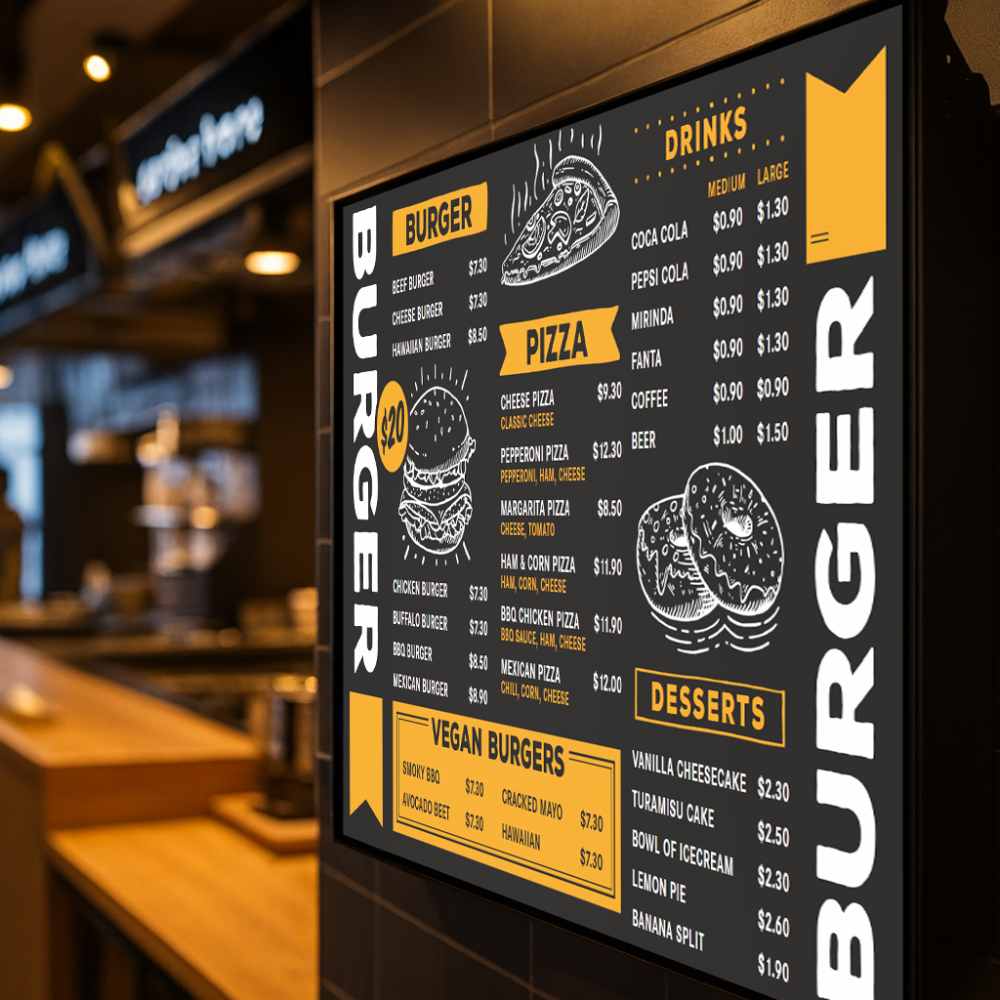
Wallboard helps restaurants move beyond static text and bland layouts. Add motion graphics, appetizing images, and short videos to bring your offerings to life. Engage customers, increase dwell time, and boost average order value.
POS Integration for Real-Time Updates - Wallboard integrates seamlessly with major POS systems like Square, Toast, and Clover. Change a price or add a new item, and your digital menu boards update automatically—no manual work needed.
Instant Updates Without a Designer - Use our intuitive content editor to tweak text, swap images, or adjust prices on the fly. Whether you’re fixing a typo or launching a new combo, Wallboard makes it effortless.
Daypart Scheduling - Set it and forget it. Schedule breakfast, lunch, and dinner menus to switch automatically at set times. Your screens stay relevant all day without a single touch.
Multi-Location Management - Manage two locations — or two hundred — from one dashboard. Maintain consistent branding across your franchise network while empowering local teams to manage regional specials or promotions.
Built-In Monetization Tools - Turn your menu boards into revenue drivers. Highlight high-margin items, upsell combos or desserts, and even sell ad space to local partners. With built-in analytics, you can measure what drives the most engagement and sales.
FAQs
Frequently asked questions about Digital Signage for Call and Contact Centers
Absolutely. Update text, prices, or visuals in seconds using our drag-and-drop content editor—no designer or developer needed.
Yes. Wallboard connects to your POS system, updating your digital menus instantly whenever items or prices change— no manual edits required.
Yes. Schedule menus for breakfast, lunch, and dinner automatically, ensuring the right items display at the right times.
Yes. Wallboard’s cloud platform lets you control branding across every screen while giving local managers flexibility to update specials or regional promotions.
Use Wallboard’s analytics to highlight top-selling or high-margin items and promote upsells like drinks and desserts. You can even sell ad space to local partners.
Still have questions?
We would love to talk to you about your Digital Signage Menu Board questions. Reach out to our team today!